
Go Paperless: How to Enroll in eStatements at DFCU in 3 Easy Steps
07/29/2025
By: Michelle Besaw

Still sorting through paper piles to find your statements? Time to upgrade. With DFCU eStatements, you get faster access, less clutter, and more security!
Here’s how to enroll and make the switch in minutes:
Step 1: Log In
Head to your DFCU Online Banking account using your preferred device. Don’t have an online banking account yet? Enroll at www.dfcu.net.
Step 2: Click “Statements & Documents” or “Online Statements”
Once logged in, look for the “Statements & Documents” on your mobile device or “Online Statements” on desktop. These are found right on the home screen after you log in.
Step 3: Accept & Confirm
Follow the simple prompts to accept the eStatement disclosure. Don’t forget the “esign document” code found here:
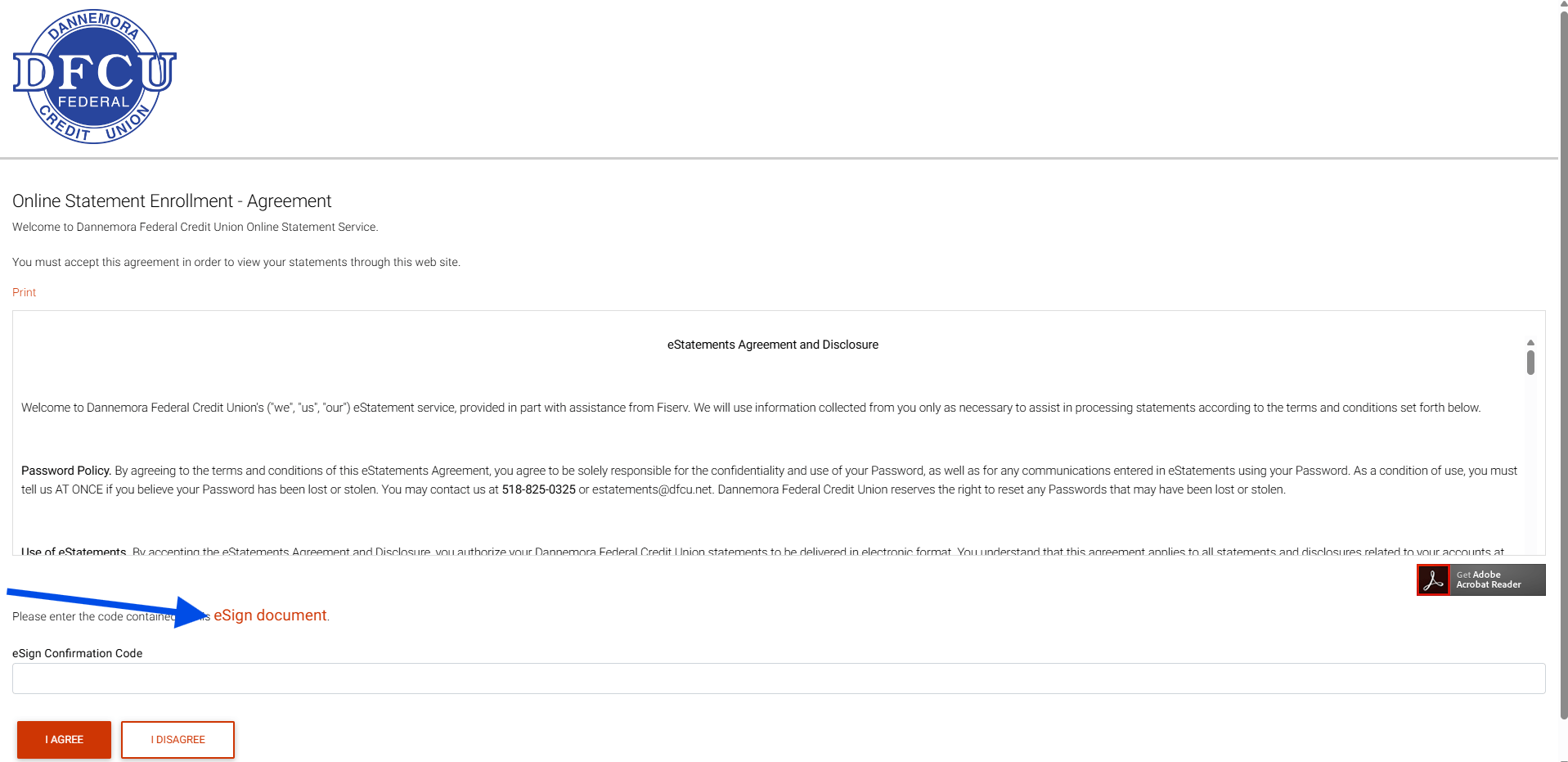
Once confirmed, you’re officially enrolled! Going forward, you’ll receive a notification each time a new statement is available.
Why Go Digital?
- 24/7 Access: View statements anytime, anywhere.
- More Secure: Reduce the risk of mail theft and paper fraud.
- Eco-Friendly: Save trees while simplifying your finances.
- Faster Delivery: Get notified the moment your statement is ready.
Ready to ditch the paper?
Log in today and make the switch to eStatements with DFCU!